Your own site, run by you.
Every request, booking and payment in one panel behind your own site. Answer a request with an offer, hold the dates, confirm with a PDF and see who has paid. Without technical hassle, for a one-time fee.
The demo runs on sample data with invented guests. No login.
- One-time fee
- 0% commission
- Works on your phone
- Guest mails in four languages
From request to review.
One booking from first mail to review, as it runs in the panel. Pick a step.
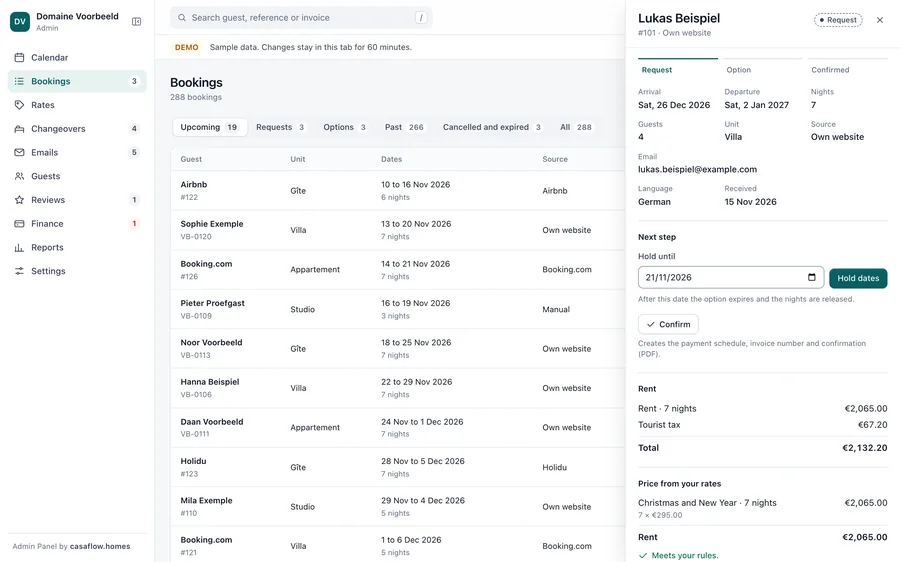
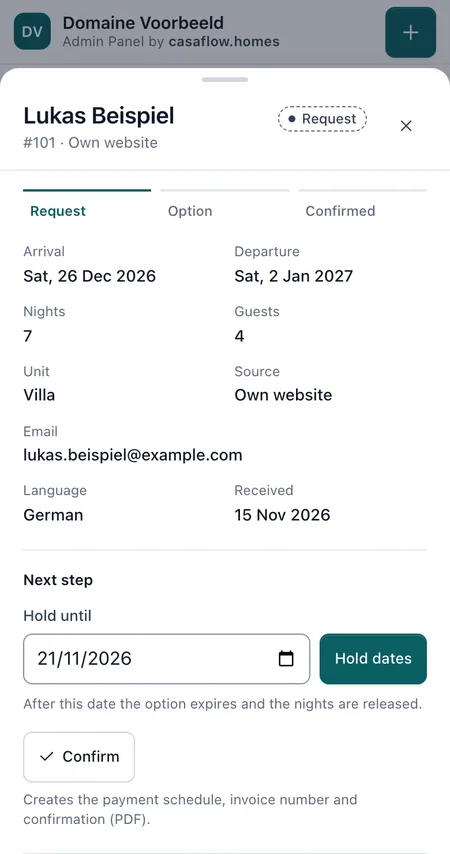
A request comes in It lands in your calendar and your bookings with arrival and departure, the number of guests, the price and the guest's language. Add the panel to your phone and you get a notice for each new request.
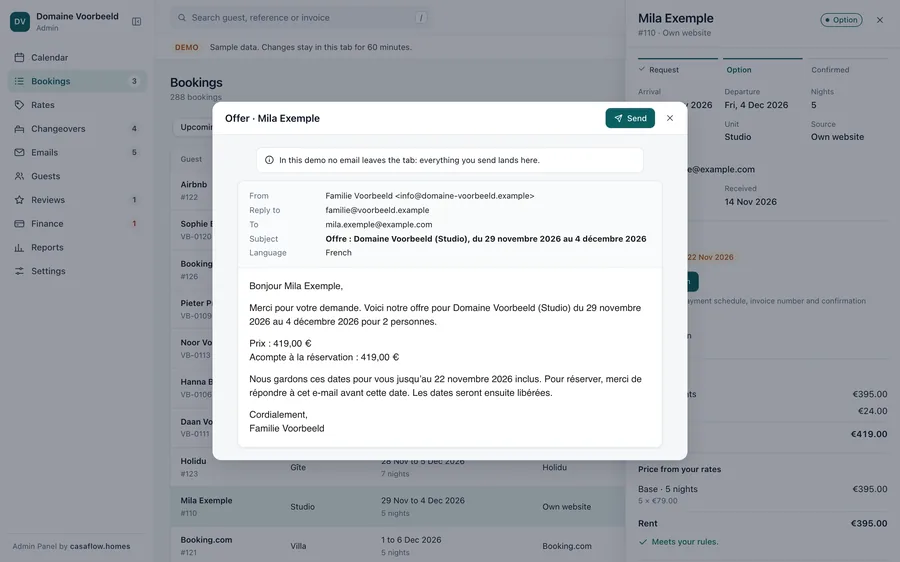
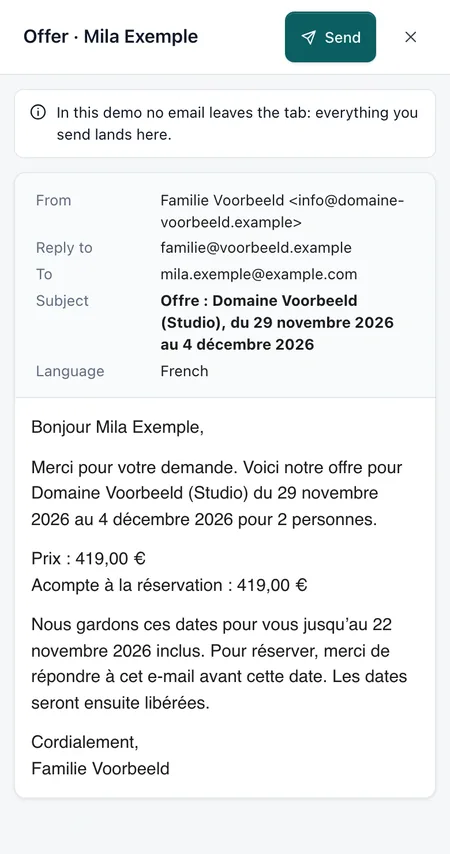
Hold the dates, send an offer Choose until when you hold the nights as an option and send the offer in the guest's language: Dutch, English, German or French. Without an answer, the option expires and the nights are free again.
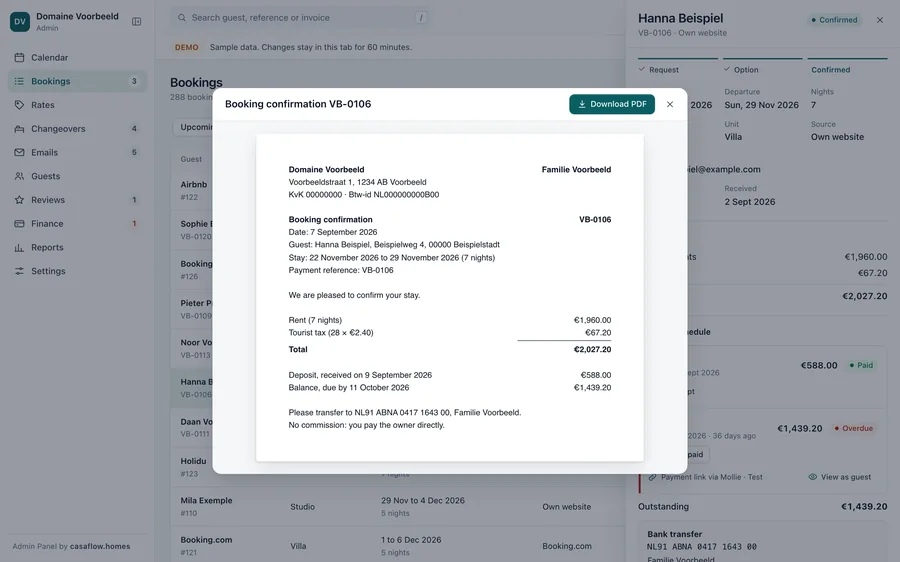
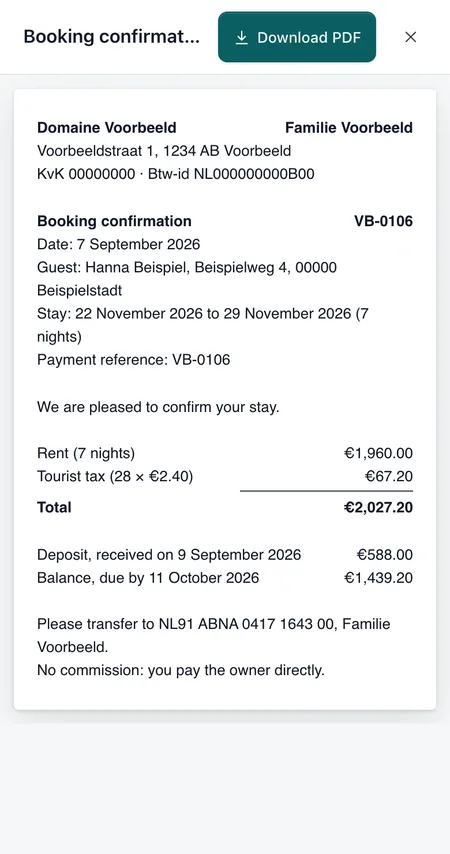
Confirm with a PDF Confirm makes the payment schedule, the invoice number and the booking confirmation as a PDF. The confirmation goes out by mail from your own address, with the PDF attached.
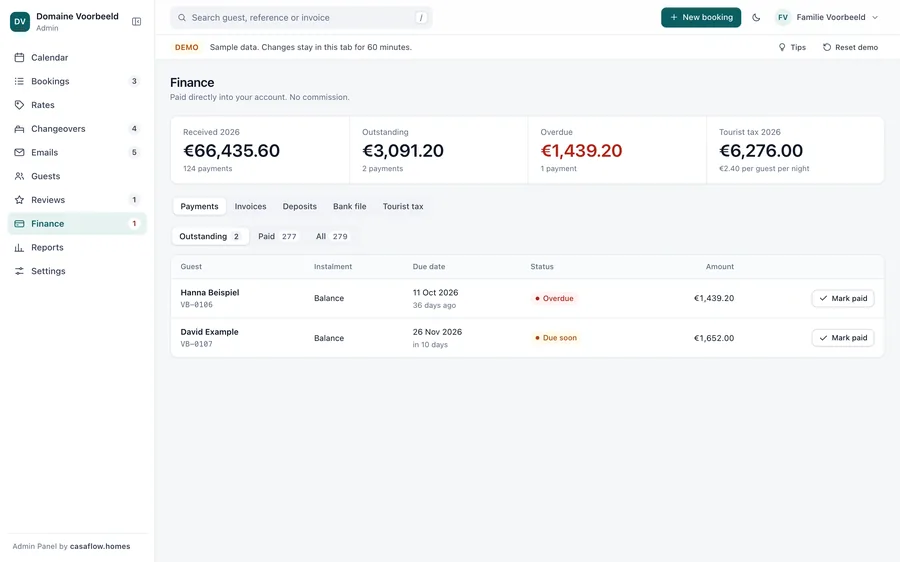
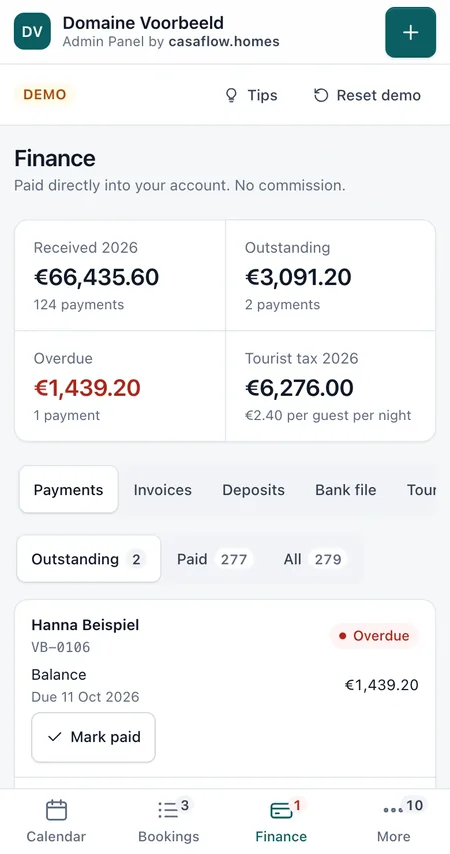
See who has paid Deposit and balance, each with its due date. Guests pay into your own account: by bank transfer, or through a pay link from your own Mollie or Stripe account, which the panel marks paid once the provider confirms it. Load your bank's statement file and tick the transfers that fit in one go. A late payment is flagged and the reminder is ready to send.
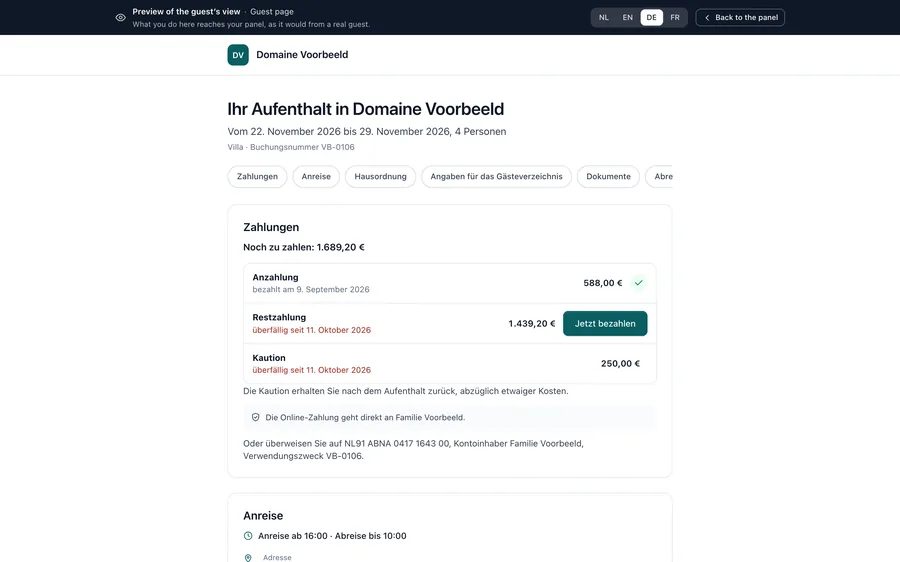
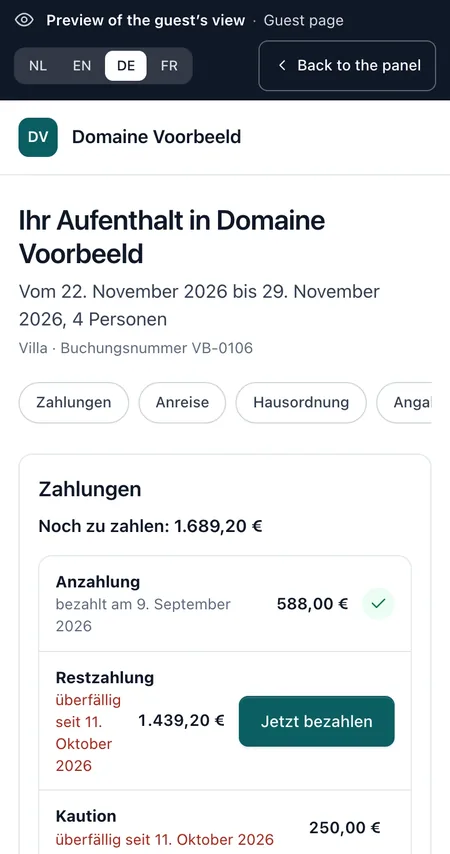
The guest page: the whole stay Each guest gets a page of their own, in their language. There they accept the house rules and the rental agreement online, fill in what the guest register of your country asks, see what is paid and what is still due, and find their documents: confirmation, invoice and receipts. Before arrival it shows the route, the keys and the wifi password, and at the end what to do before leaving.
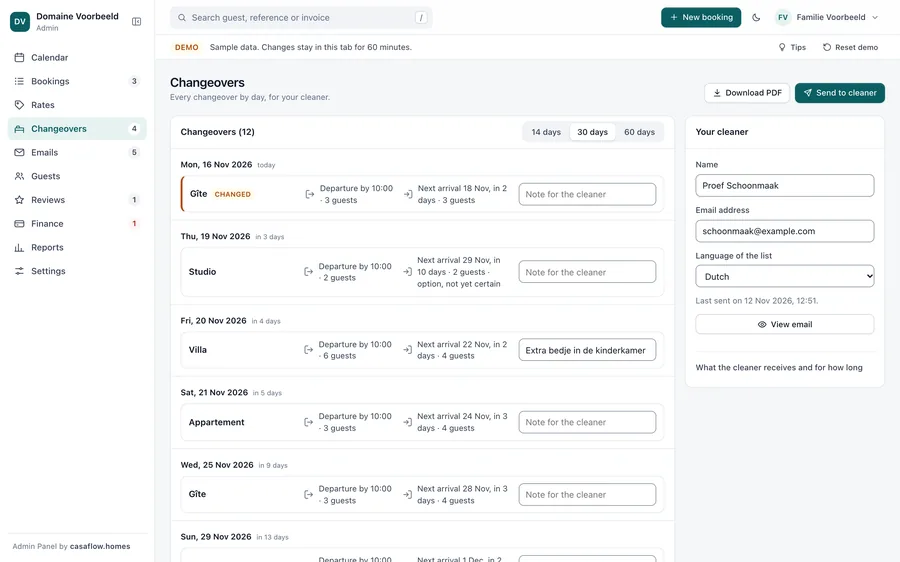
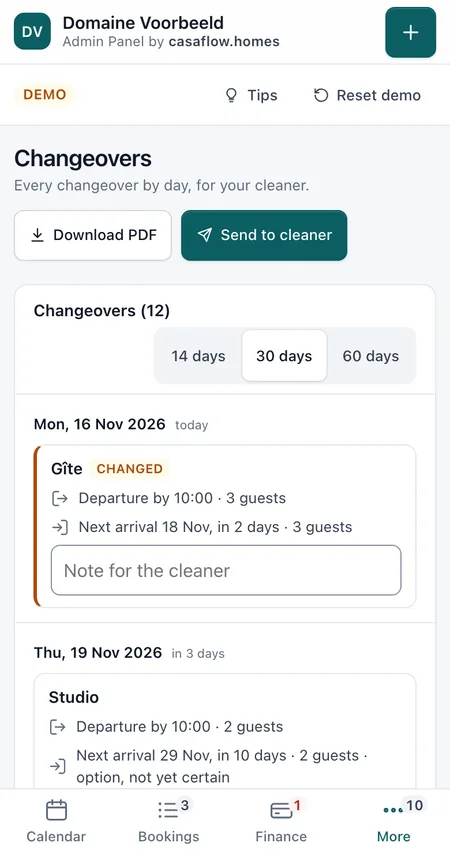
The list for your cleaner Every changeover by day: when the guests leave, when the next ones arrive and how many, with a note for each. Send the list to your cleaner by mail or download it as a PDF, in Dutch, English, German or French. No guest names or contact details, and every change since the last list is marked.
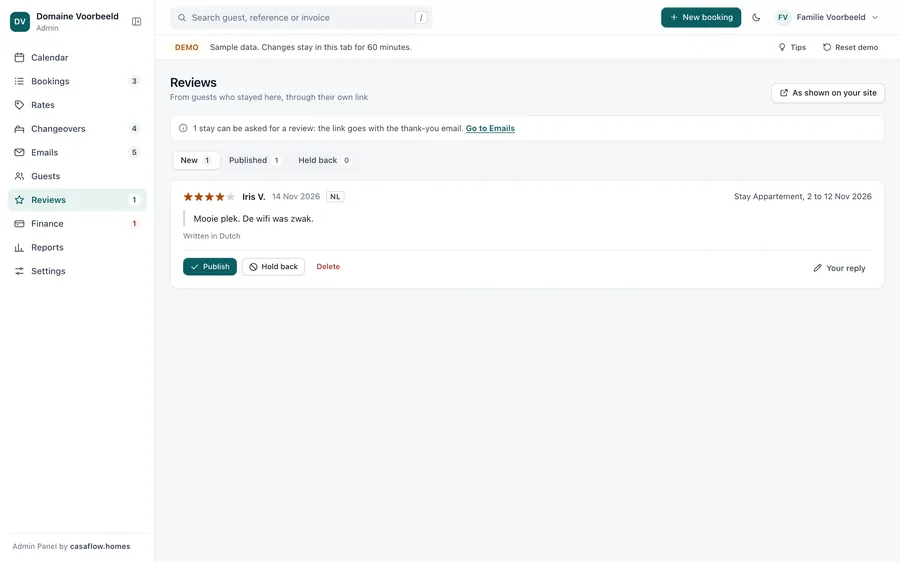
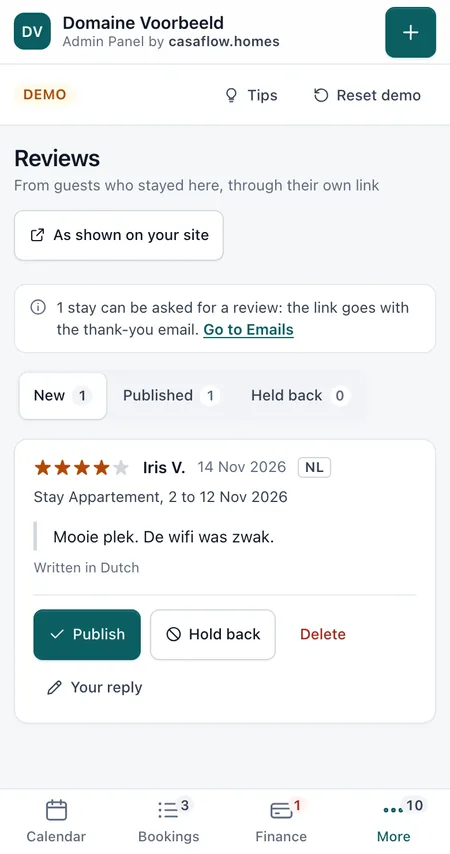
After the stay: a review The thank-you mail carries a personal review link. You publish a review or hold it back for a fixed reason, never for being negative, and you can reply. Published reviews appear on your own site.
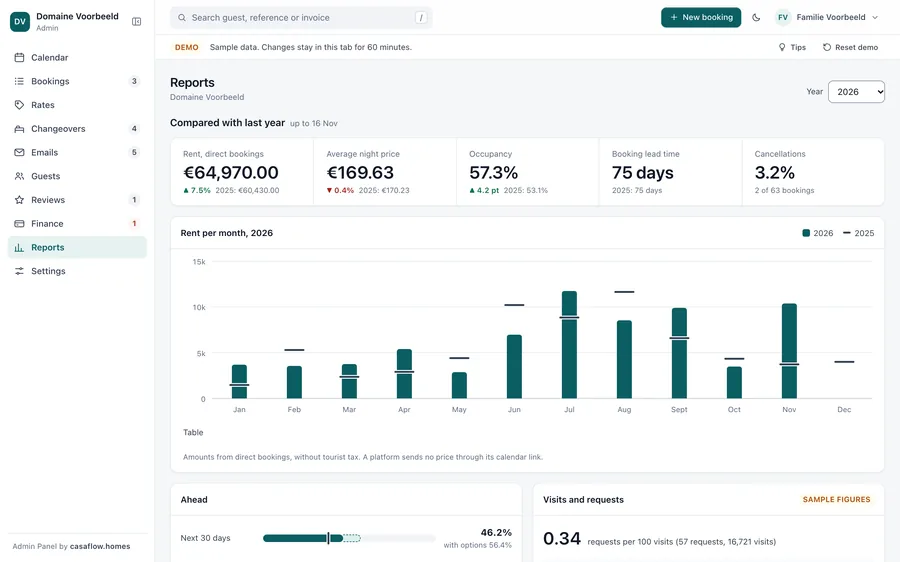
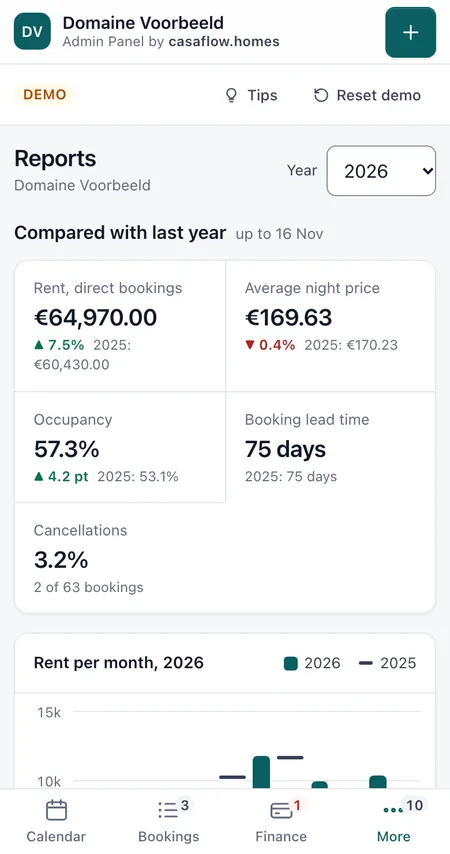
Your year in figures Nights booked, occupancy and rent from direct bookings, each month beside the same month last year, with the average price per night and what is already booked for the next 30, 60 and 90 days. An estimate shows the commission you saved, and bookings, payments, invoices and tourist tax go out as files for Excel, all in one zip.
All of it, in one panel.
What sits behind your own site, screen by screen.
Texts, photos and prices, changed by you.
In the panel you also edit your own site. That part is made for your pages, so the demo does not show it. What you save is on your site within a minute, and you can undo a change.
Light or dark, your choice.
The panel opens light. One click on the moon turns it dark, and it stays that way in your browser.
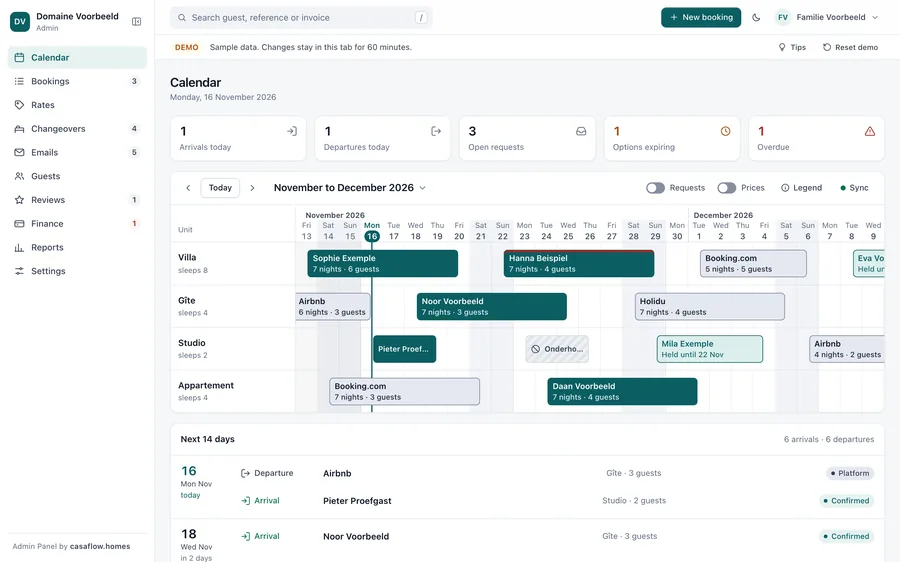
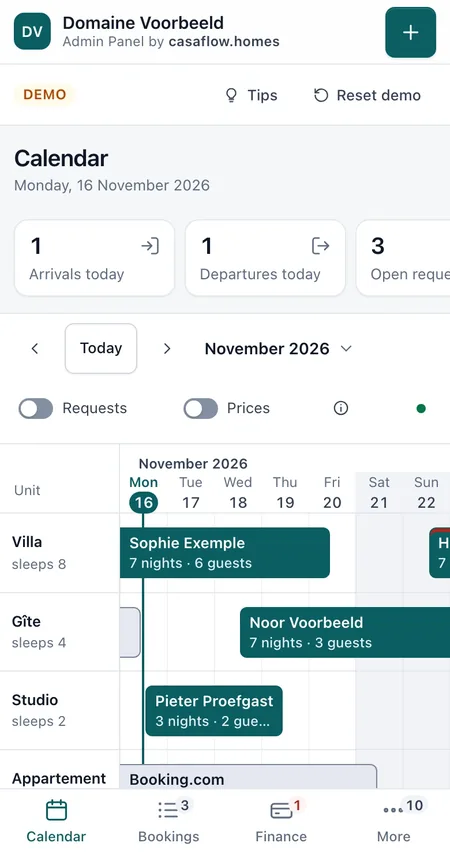
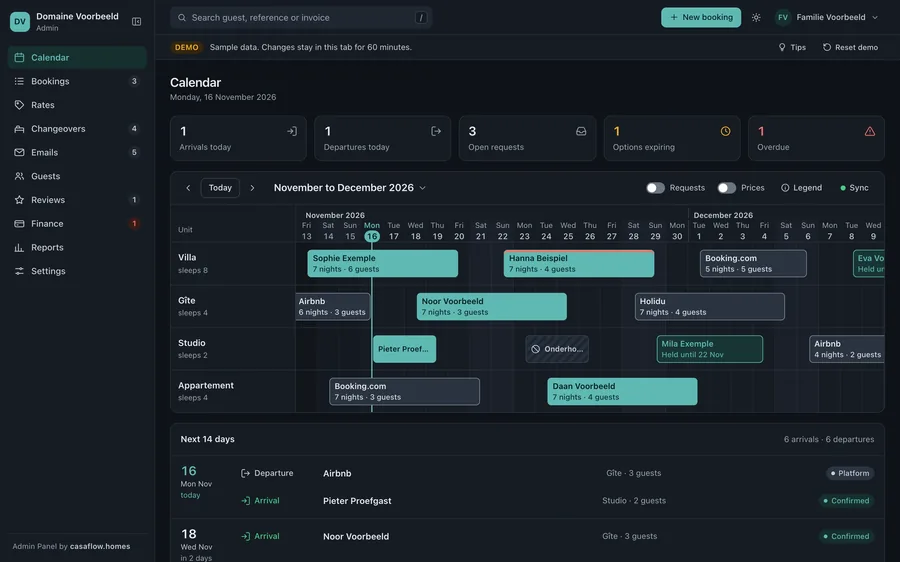
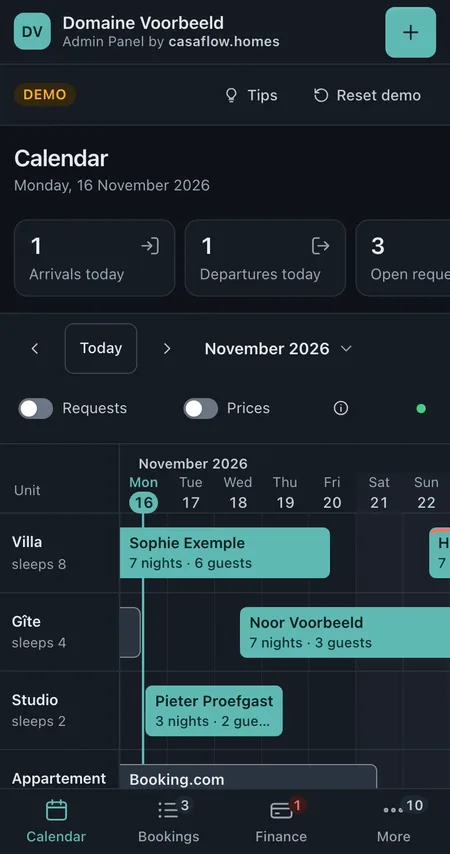
Try the demo.
The demo is the same panel, on sample data with invented guests. No login and nothing to install. What you change stays in your browser tab for an hour, and no mail leaves it.
Open the demo , opens in a new tabOne fee, once.
The panel is agreed in advance as one fixed figure for your site, like the build itself. No monthly charge for the panel and no commission on your bookings.
- Agreed in advance, in your proposal
- No monthly charge for the panel
- Guests pay straight into your own account
What owners ask us.
Do I need technical knowledge?
No. Every screen is in plain words and every setting has a line that says what it does. We set the panel up with your house, your units and your terms before you start.
In which languages does it work?
The panel itself is in Dutch, English, German, French, Spanish and Italian, and yours offers the languages you read. Your guests get their mails, their guest page and the review form in Dutch, English, German or French, in their own language. The list for your cleaner comes in the same four languages.
Does it work with Airbnb and Booking.com?
Their stays appear in your calendar beside your own bookings, so you see every night in one place. If a platform's calendar stops answering, the panel tells you.
Who sends the mails to my guests?
You do. They go out from an address on your own domain, and replies arrive in your own mailbox. Each mail waits for your click, unless you switch that kind of mail to automatic.
What does the panel cost?
One fee, once, agreed in advance as one figure for your site. There is no monthly charge for the panel and no commission on your bookings.
I already have a site with CasaFlow. Can I get the panel?
Ask us. We look at your site and tell you what adding the panel takes, as one fixed figure.
Can I try it first?
Yes. The demo is the same panel on sample data, with no login. Open it on your phone and on your computer.
Tell us about your house.
Already have a site or a listing? Send the link along. If not, we ask you about your house by email. You receive a proposal with one fixed price.
- No obligation: you are not tied to anything
- A reply usually within a day
- We use your details only for your request
Prefer email? sanne@casaflow.homes